Install the TeamOrgChart Agent
Bring your organization charts and workforce insights into Microsoft 365 Copilot and Teams.
TeamOrgChart Agent is a companion for Microsoft 365 Copilot and Microsoft Teams. It gives authorized users a conversational way to explore the organization information already available to them in TeamOrgChart.
Users can ask natural-language questions instead of manually navigating a chart. The Agent respects TeamOrgChart access controls, so each person only sees charts and information they are permitted to view.
What can the Agent do?
Explore organization charts
Display interactive organization charts, browse reporting structures and open a person or chart in TeamOrgChart for more detail.
Find people and relationships
Search for people, managers and direct reports, follow management chains and identify the common manager for a group of people.
Understand your workforce
Explore vacant positions, management structures, hierarchy metrics and other workforce insights using current TeamOrgChart data.
Create useful outputs
Turn authorized organization data into tables, summaries, downloadable reports and visualizations without copying information between applications.
Install through the Microsoft 365 Admin Center
1. Download the Agent package
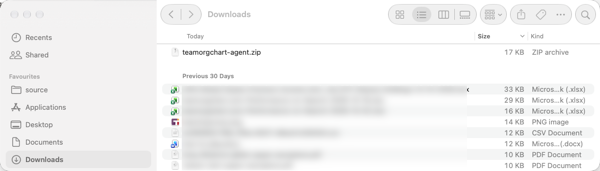
Download the TeamOrgChart Agent ZIP file and keep the file zipped. Microsoft 365 expects the manifest and its supporting files to remain together in the package.
2. Open the Microsoft 365 Admin Center
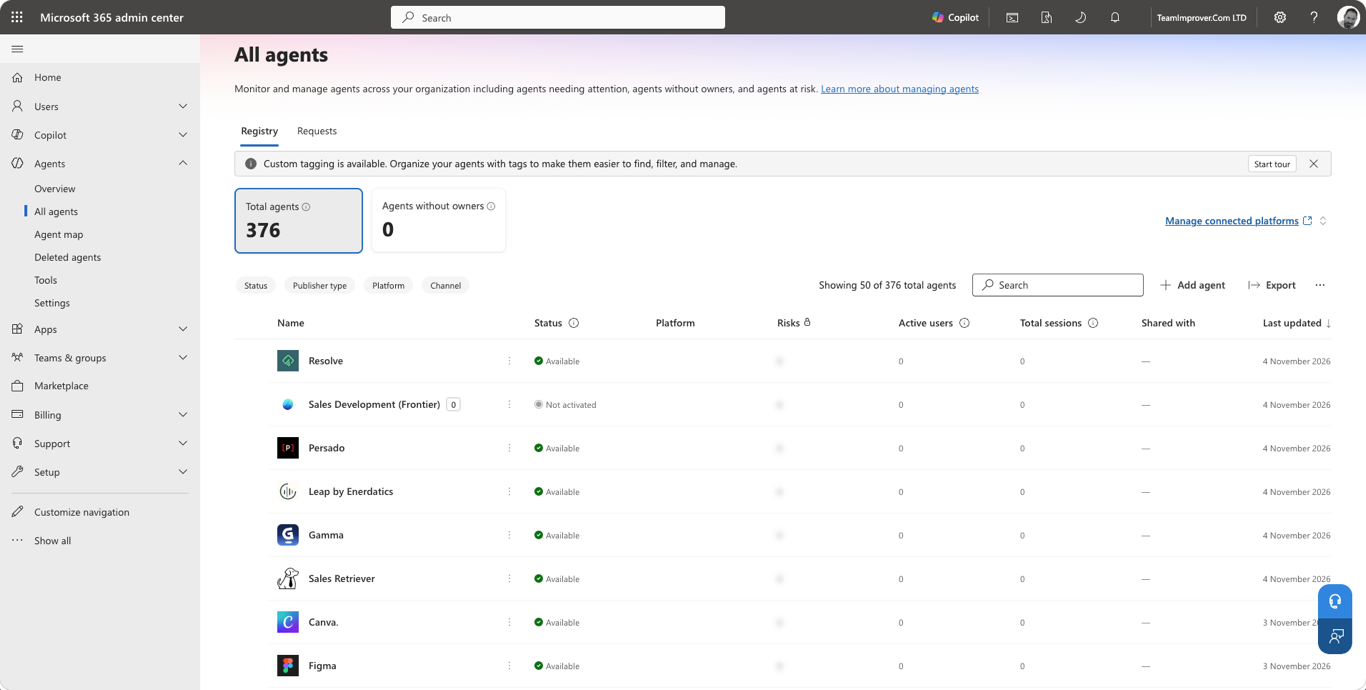
Open All agents directly, or sign in through admin.cloud.com. From the navigation menu, open Agents and select All agents.
3. Upload the Agent
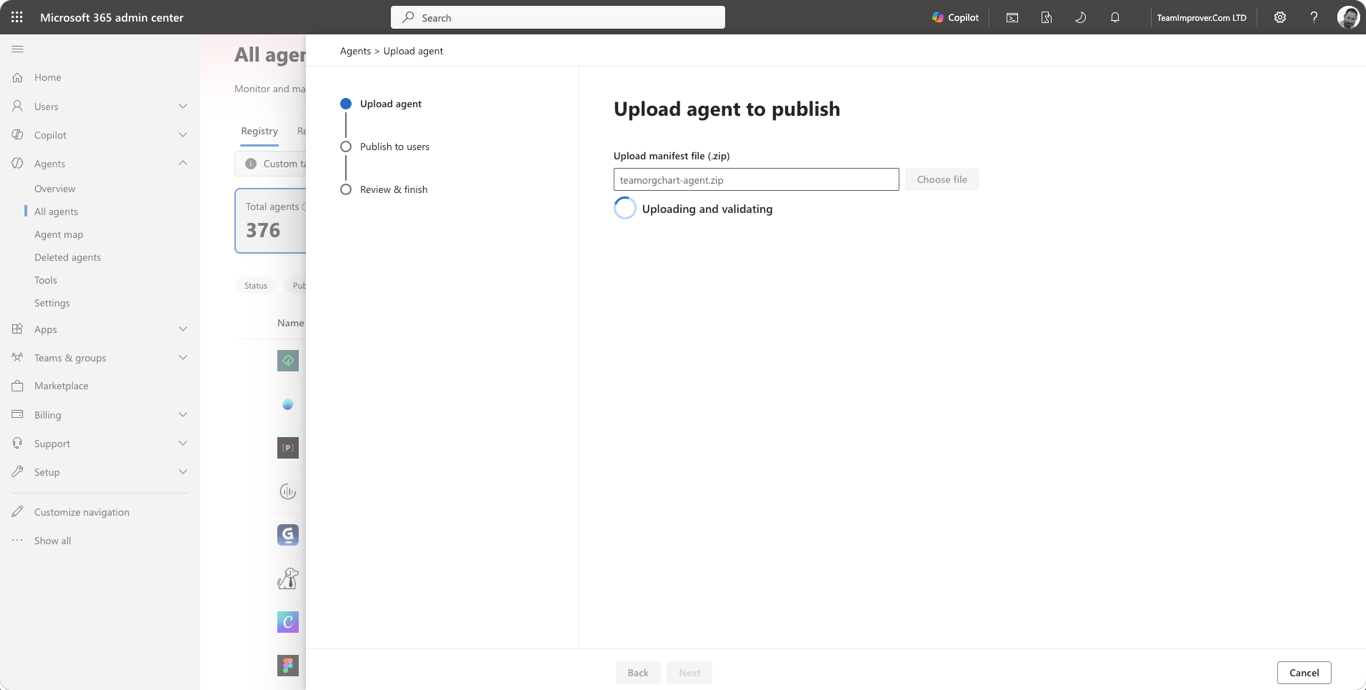
Select Add agent, choose the downloaded teamorgchart-agent.zip file and allow Microsoft 365 to upload and validate the package. Review the package details before continuing.
4. Publish and assign access
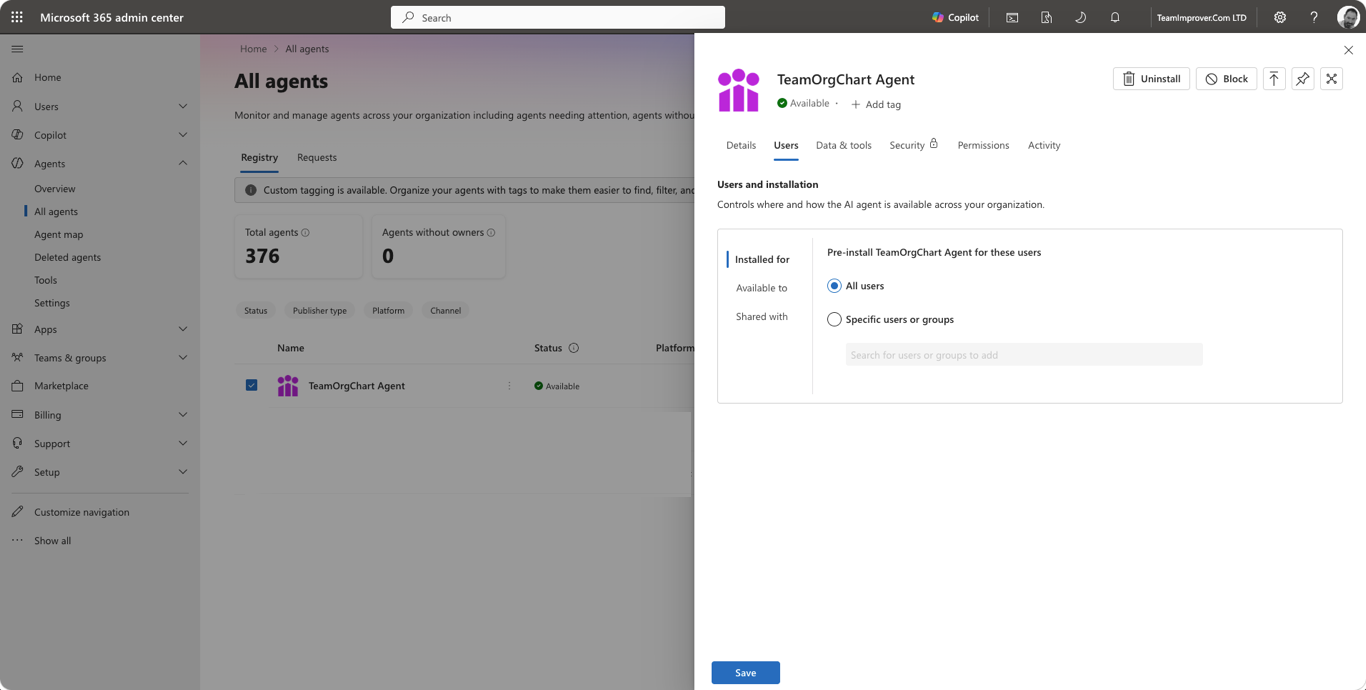
Complete the publishing process, then use the Agent's Users settings to make it available to all users or to selected users and groups. Microsoft 365 may take a short time to make the Agent available in Copilot and Teams.

TeamOrgChart Agent
Ask questions about your organization and explore current TeamOrgChart data from Microsoft 365 Copilot and Teams.
Recommended Steps
(c) TeamImprover.Com